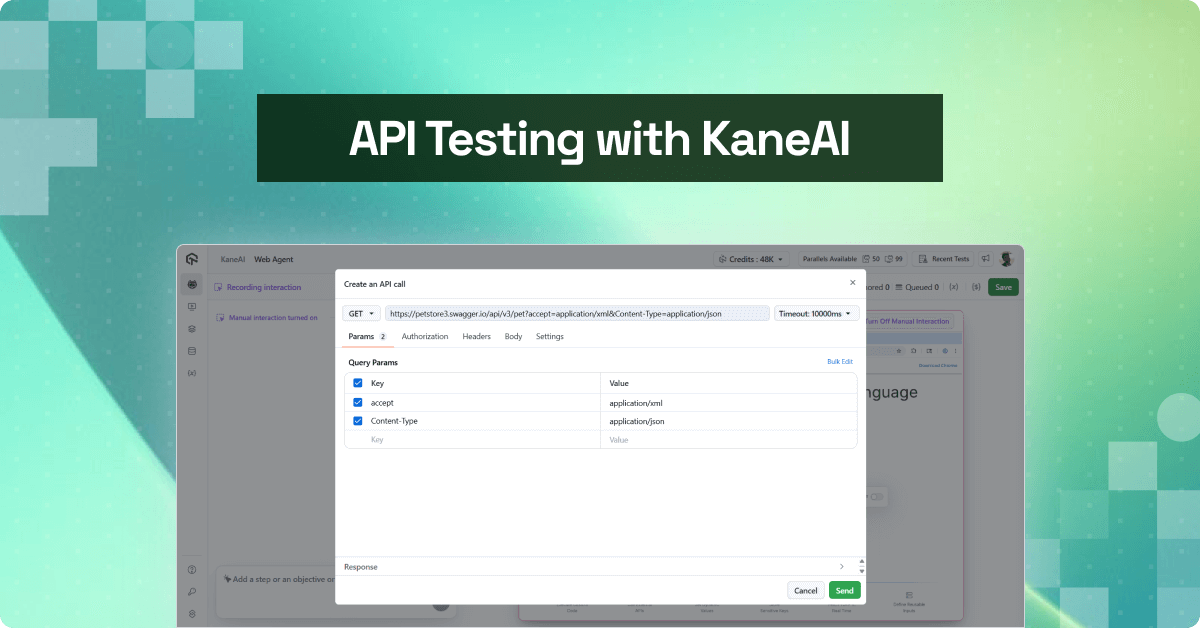
How to do API testing with LambdaTest KaneAI
Modern applications rely heavily on APIs to connect different services, manage data flow, and enable seamless user experiences. However, traditional testing approaches often treat API and UI testing as separate processes, leading to:
- Fragmented testing workflows that require multiple tools and platforms
- Delayed feedback loops when backend problems are not caught early
- Incomplete test coverage that misses critical API-UI interactions
- Resource inefficiency for managing separate test environments
LambdaTest KaneAI bridges this gap by offering seamless API testing capabilities alongside its powerful UI testing features, providing development teams with a unified testing platform.
Unified API testing with KaneAI
LambdaTest KaneAI addresses these challenges by integrating API testing directly into your existing testing workflows. This unified approach allows teams to validate both front-end functionality and backend services within a single platform, streamlining the entire testing process.
note
See the detailed support documentation to get started testing the API with KaneAI.
What are the benefits of API testing?
API testing offers significant benefits in terms of efficiency, system security, and overall product quality. Here are some of the key benefits of incorporating API testing into your development workflow:
- Faster Launches: While GUI testing can be time-consuming, API testing speeds up the process, saving you up to eight hours of testing time. This allows your team to focus on other critical aspects of software development and improves the overall speed of your product release.
- Enhanced test coverage: API testing goes deeper than the user interface by validating core system components such as database interactions. By testing APIs, you ensure that all layers of your application are working properly, which leads to better coverage and ultimately to higher quality software and happier users.
- Easy left shift tests: API tests can be implemented early in the development cycle without the need for a GUI. Developers can run tests quickly, get real-time feedback, and solve problems in the early stages. Compared to UI testing, API testing typically completes in seconds or minutes, providing faster information about system performance.
- Minimum maintenance: Because changes to the API layers are infrequent and typically tied to major updates to business logic, API testing requires less ongoing maintenance. By reflecting the intended API specifications from the start, you can ensure that the system remains stable, even when updates are made.
- Faster error detection and resolution: With the speed of API testing, errors are caught and diagnosed earlier in the development process. Immediate feedback means faster bug fixes, avoiding delays and improving the overall efficiency of your development cycle.
- Lower testing costs: The comprehensive nature of API testing, coupled with faster execution and easier maintenance, significantly reduces the overall cost of testing. This allows you to reallocate resources to other high priority areas, improving ROI.
- Compatibility between languages: API tests support data exchange in XML and JSON formats, which means you can use a variety of programming languages, such as JavaScript, Java, Ruby, Python, or PHP. This flexibility ensures that your team can test APIs using the tools and languages they are most comfortable with.
By incorporating API testing into your workflow, especially with advanced tools like KaneAI, you can achieve faster, more efficient, and cost-effective testing while ensuring a safer and higher quality product.
Demonstration of API testing with a real-world use case:
Let’s explore how a development team can take advantage of KaneAI’s API testing capabilities using a practical e-commerce scenario. We will use the PetStore API as an example to demonstrate full backend testing.
Setting up your API test environment
Initializing API tests by creating a web test and adding APIs using KaneAI’s intuitive command interface.
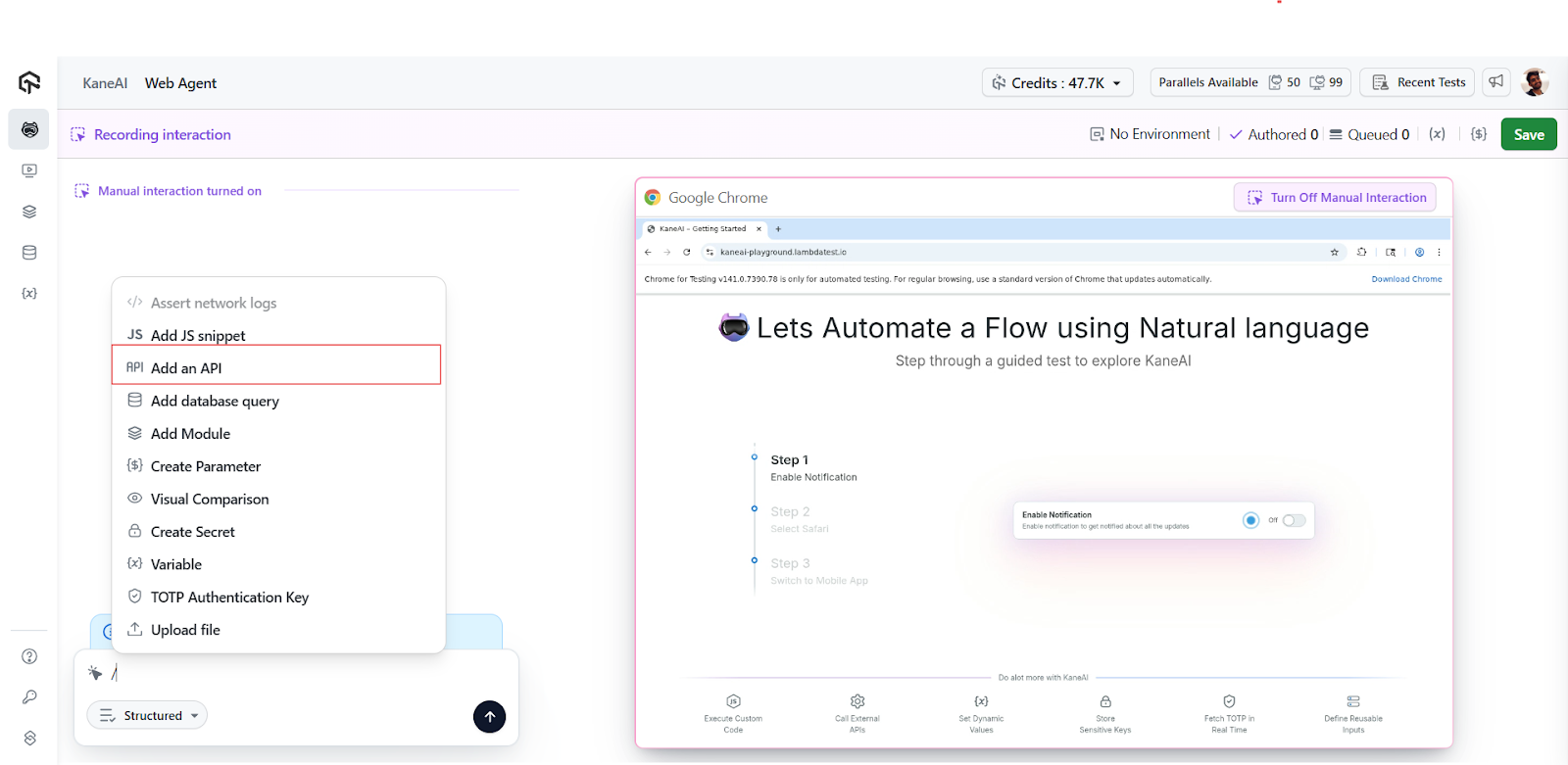
Quick API configuration with cURL commands helps to automatically configure API configuration by simply pasting your cURL command into the designated area, where KaneAI intelligently fills in all necessary details, including request headers, parameters, and bodies, eliminating manual configuration errors and significantly speeding up test configuration.
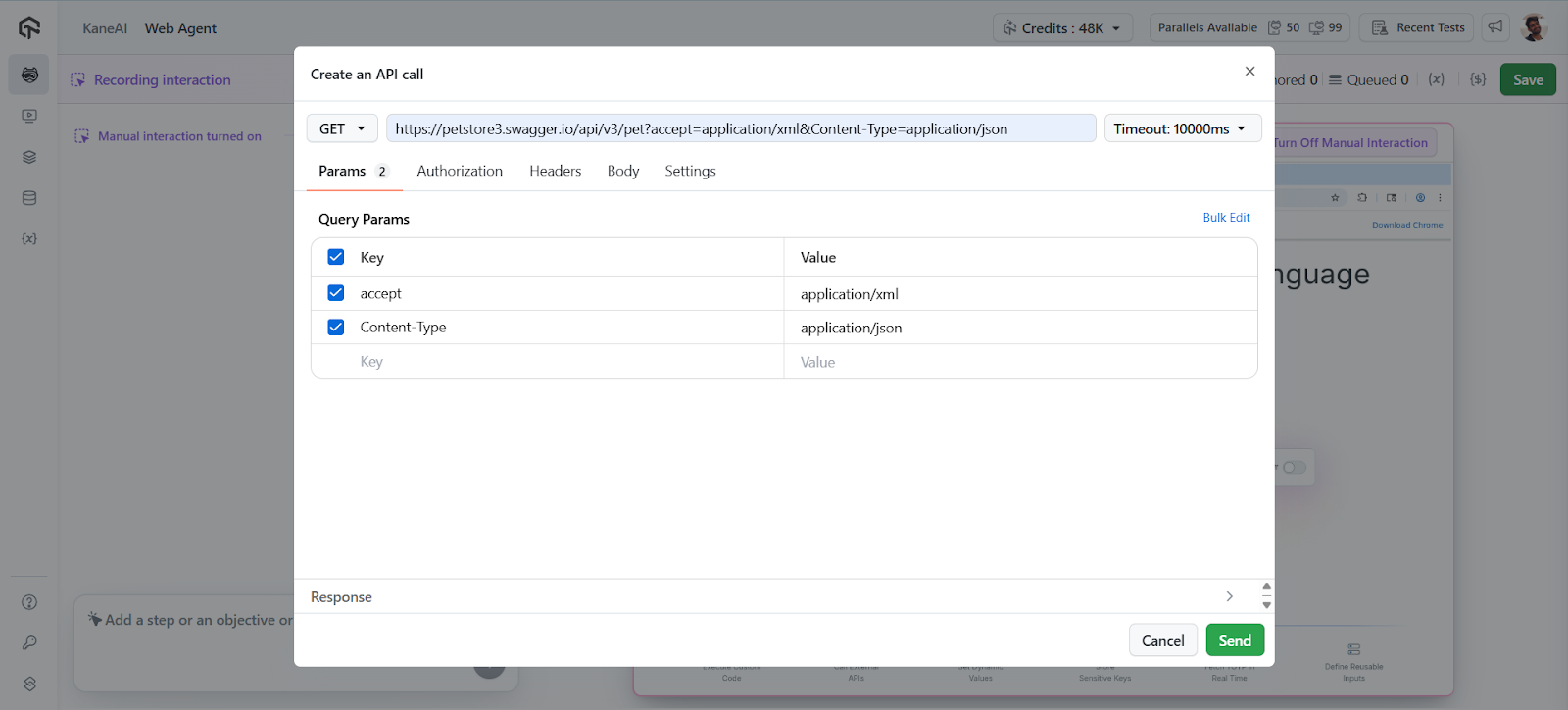
Validation of API responses for reliability
KaneAI’s validation feature ensures that your APIs are responding correctly before incorporating them into your test suite.
When you click “validate”, the system checks the API response and automatically adds successful requests (those that return a status of 200) to your test steps. This automated validation prevents bad APIs from entering your test pipeline.
Management of extreme cases and error scenarios
Real-world testing isn’t just about happy trails. KaneAI allows you to manually add APIs that return non-200 status codes, such as 400 bad request responses. This capability is crucial for testing error handling, validation logic, and edge cases that your application must handle gracefully.negative tests/negative workflows
Streamlining tests with batch processing
For complex applications with multiple API endpoints, KaneAI provides batch processing capabilities. You can add multiple APIs simultaneously by clicking the plus icon and selecting each endpoint, or paste multiple cURL commands to automatically add them. This feature is especially valuable when testing integrated workflows that involve multiple service calls.
Modern APIs use multiple HTTP methods for different operations. KaneAI supports the full spectrum of HTTP methods, including POST for creating resources, PUT for updates, GET for retrieval, and DELETE for deletion. This comprehensive support ensures that you can test full CRUD operations and complex API interactions.
How to get execution and performance information in API tests?
Once your API test suite is configured, KaneAI allows the simultaneous execution of all added APIs. This parallel execution approach provides immediate insight into API performance, response times, and data integrity across your back-end infrastructure.
The execution results include detailed information about:
- HTTP methods used for each request
- Response status codes and their meanings
- Runtime for performance analysis
- Response data for validation and debugging
 note
noteStart API testing with KaneAI. Start now!
Best practices for API testing
API testing includes several best practices, such as structuring tests logically, leveraging validation features, testing beyond success scenarios, and tracking performance metrics. These practices help make API testing more efficient, reliable, and robust.
Structure your tests logically
Organize your API tests to reflect your application workflows. Group together related API calls and ensure that your test sequence matches real user interactions.
Take advantage of the validation functions
Always validate API responses before adding them to your test steps. This practice ensures that your test suite remains reliable and captures regressions effectively.
Test beyond success scenarios
Include failure cases and extreme conditions in your test suite. Testing how your APIs handle invalid input and error states is crucial to building resilient applications.
Monitor performance metrics
Use KaneAI runtime data to establish performance baselines and identify potential bottlenecks in your API infrastructure.
All of it!
LambdaTest KaneAI’s API testing capabilities represent a significant advance in comprehensive testing strategies. By providing a unified platform for both UI and API testing, KaneAI enables development teams to build more reliable applications while optimizing their testing workflows.
The integration of API testing into existing test suites, combined with features such as automated configuration, batch processing, and full HTTP method support, makes KaneAI an invaluable tool for modern development teams.
Good tests!

Technology
Berita Olahraga
Lowongan Kerja
Berita Terkini
Berita Terbaru
Berita Teknologi
Seputar Teknologi
Berita Politik
Resep Masakan
Pendidikan
Related Post
Greatest Prime Day health offers: Get celeb-loved exercise gear and garments
Web page Six could also be compensated and/or obtain an affiliate fee for those who…